ShopeePay QR payments for WooCommerce
A regional wallet connection with UAT settings, payment status checks and refund requests.
I connected ShopeePay to WooCommerce checkout.
- Field
- Commerce payments
- Built with
- WooCommerce / PHP / WordPress
- Client
- ShopeePay
The challenge
The store needed a ShopeePay choice within WooCommerce, with provider settings suited to its market. Creating a payment request was only part of the work. The integration also needed to connect the payment status and refund path to the order.
The approach
I connected ShopeePay through a WooCommerce gateway with merchant and store identifiers, UAT and live modes, and country selection for Thailand and Vietnam. The code creates payment orders, receives provider notifications, checks status and sends refund requests.
The project, in detail
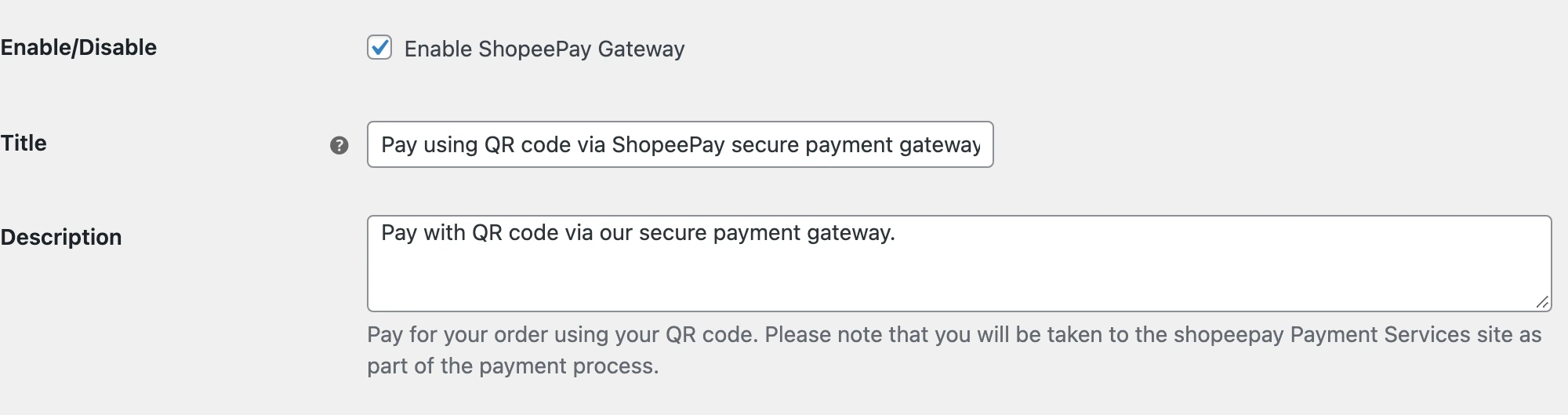
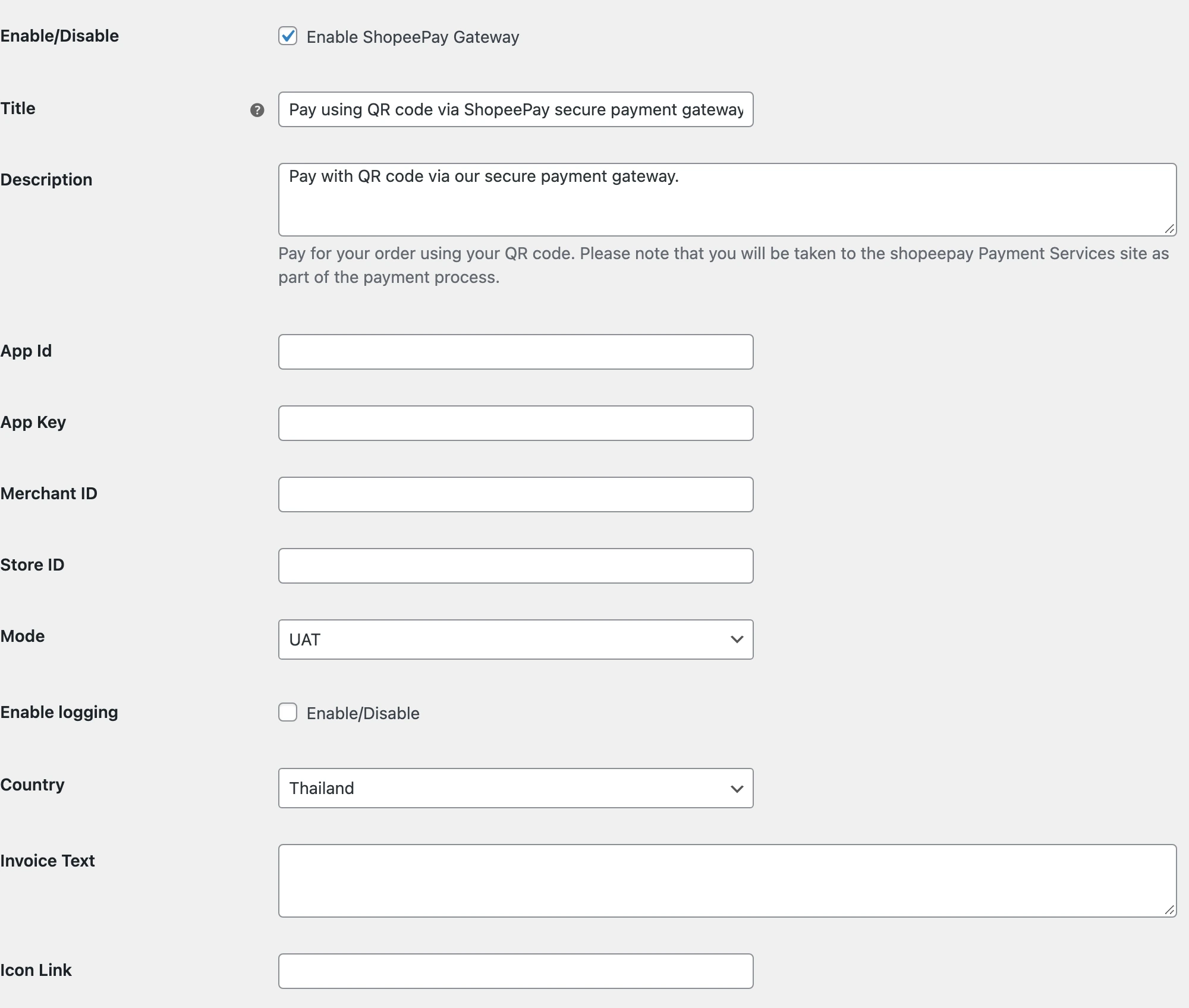
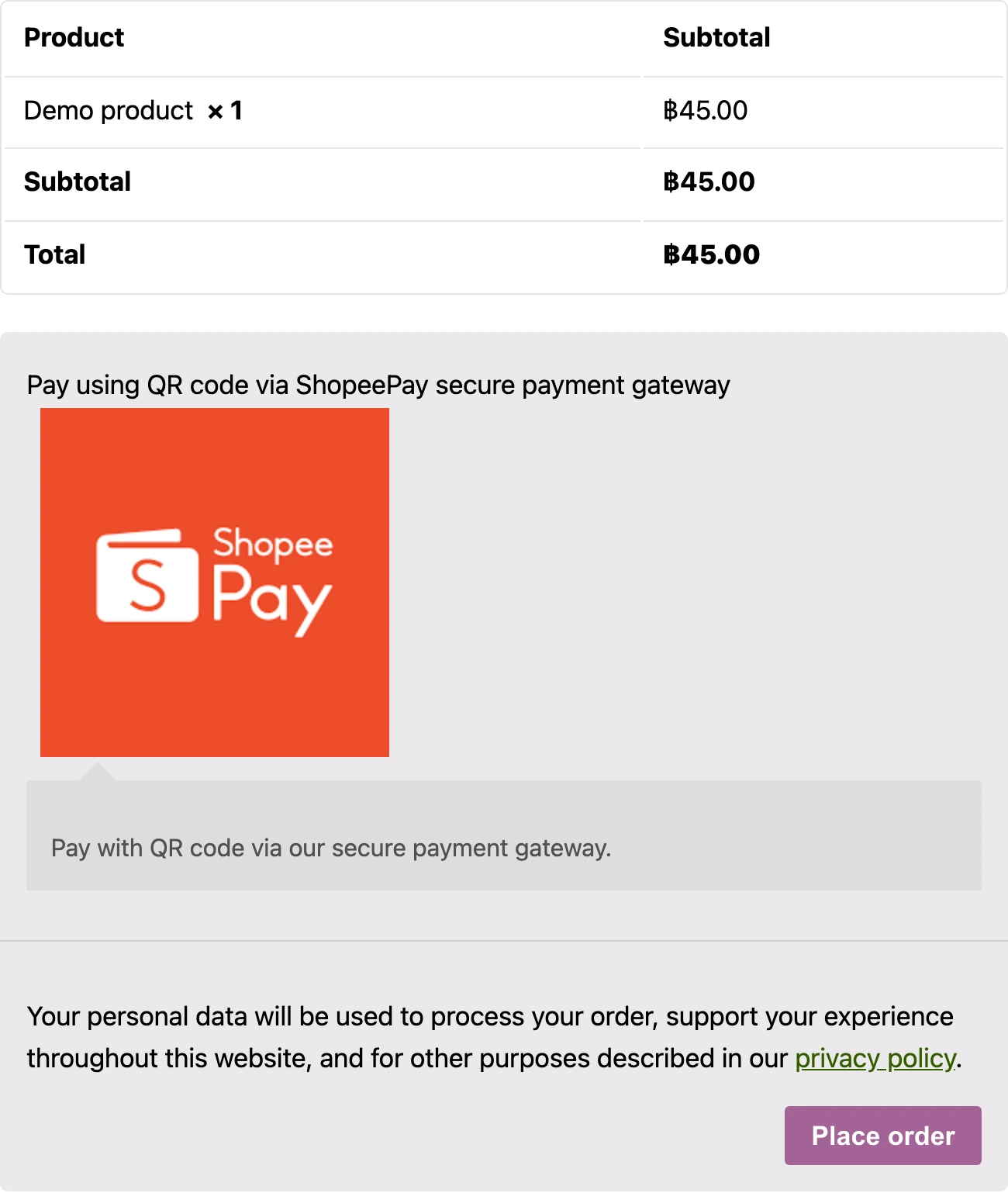
Real screens from the original public plugin running in a local WooCommerce demo. Credentials are empty. The checkout uses a demo product and no payment was submitted.
Configuring the right market
The settings contain app credentials, merchant and store IDs, country and environment. Thailand and Vietnam have separate provider endpoints. The source signs request bodies with the app key and converts Thai baht to the units expected by the API. The local demo shows Thailand and UAT with no credentials entered.
More than a checkout label
The plugin includes payment creation, notification handlers and a scheduled status check. It also has a refund request path linked to WooCommerce. This screenshot shows the original method in a local checkout. It does not show a generated QR code or a completed wallet payment; reaching the provider step requires merchant credentials.
The outcome
Country, environment and merchant settings for the ShopeePay connection.
Payment requests, status checks, provider notifications and refund requests in the public implementation.
Details of ShopeePay QR payments for WooCommerce
What was connected in this work?
I connected ShopeePay to WooCommerce checkout. The plugin creates a payment order, checks its status and handles provider notifications and refund requests.
Do the screenshots show real customer payments?
No. They show the original public plugin running in a local WordPress and WooCommerce demo. Merchant credentials are empty and the product and amount are demo data. The screenshots show settings and payment selection, not a completed transaction or the client's production store.
