Payletter
Cards, UnionPay and PayPal connected to WooCommerce through one payment plugin.
I worked on the Payletter integration for WooCommerce.
- Field
- Commerce payments
- Built with
- WooCommerce / PHP / WordPress

The challenge
The shop needed several Payletter payment methods without sending staff between separate order records. Customers needed a familiar choice at checkout, and the store needed to receive the result against the right order.
The approach
I worked on the Payletter connection with OnePix. The plugin has separate gateways for Amex, Visa, MasterCard and JCB, UnionPay and PayPal Express. They share the order flow while keeping their own settings and return routes. The implementation also includes refund and cancellation handling.
The project, in detail
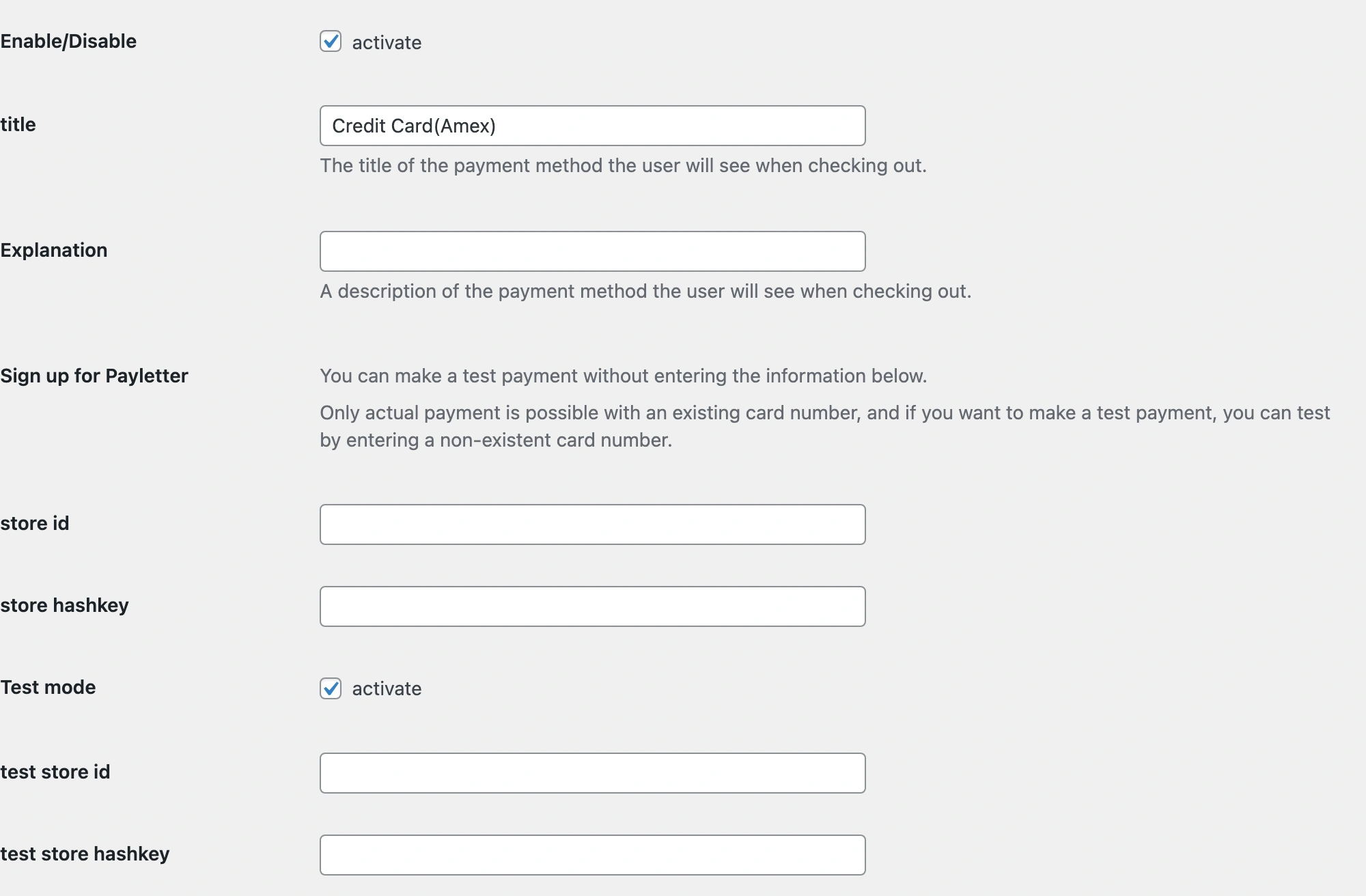
Real screens from the original public plugin running in a local WooCommerce demo. Credentials are empty. The checkout uses a demo product and no payment was submitted.
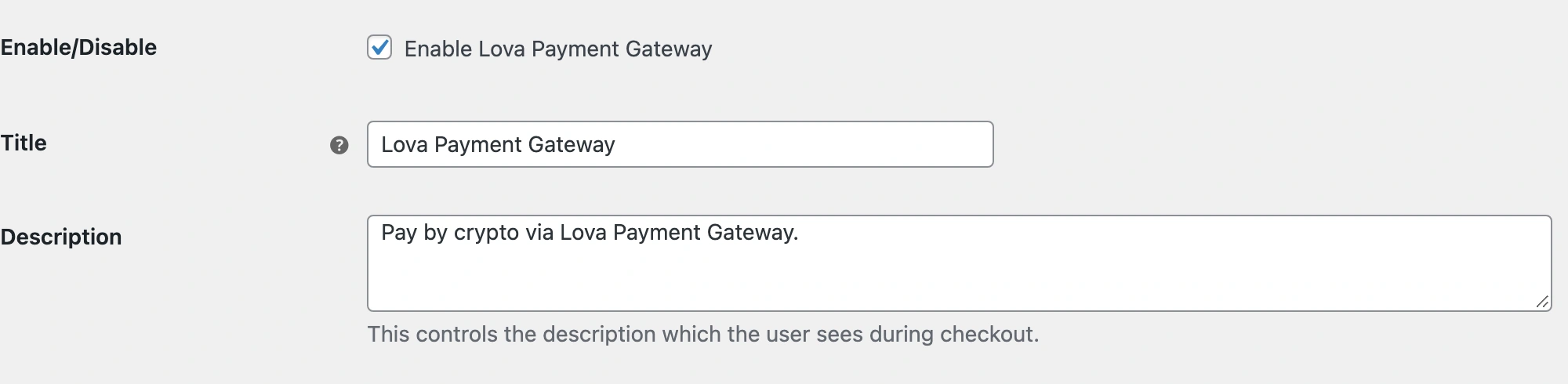
Separate methods with familiar settings
I connected each method to the WooCommerce payment settings. The merchant can set the label and description and keep test store details separate from live credentials. The screen shows the Amex gateway, with the test mode enabled and credential fields empty. The other methods have their own gateway classes.
The choice stays inside checkout
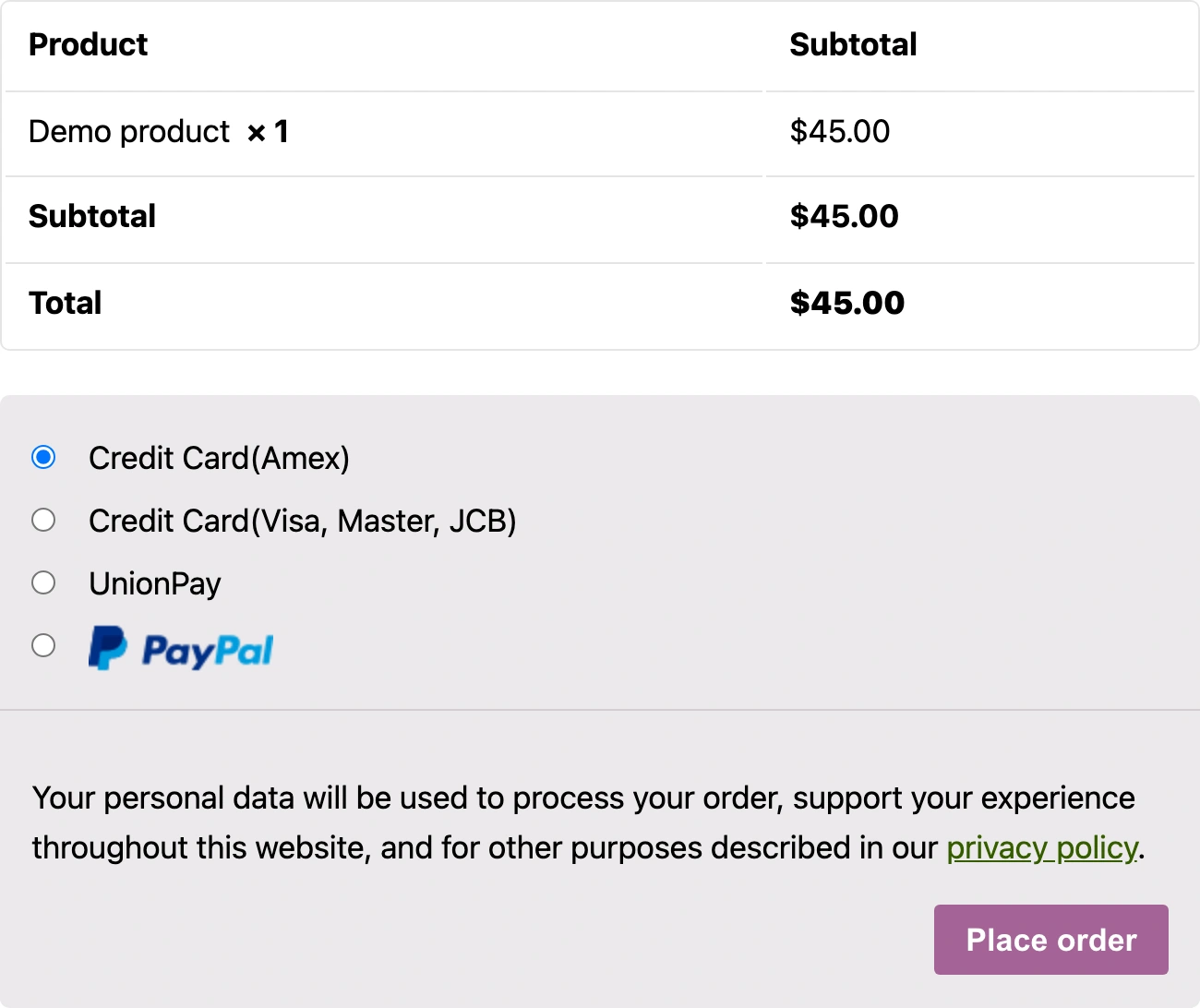
The local checkout shows all four methods beside the order summary. In the code, the selected gateway prepares the provider request and its return route. Payment callbacks and refund requests refer back to the WooCommerce order. The desktop and mobile images show the selection before payment; they do not demonstrate a completed provider transaction.
On a smaller screen
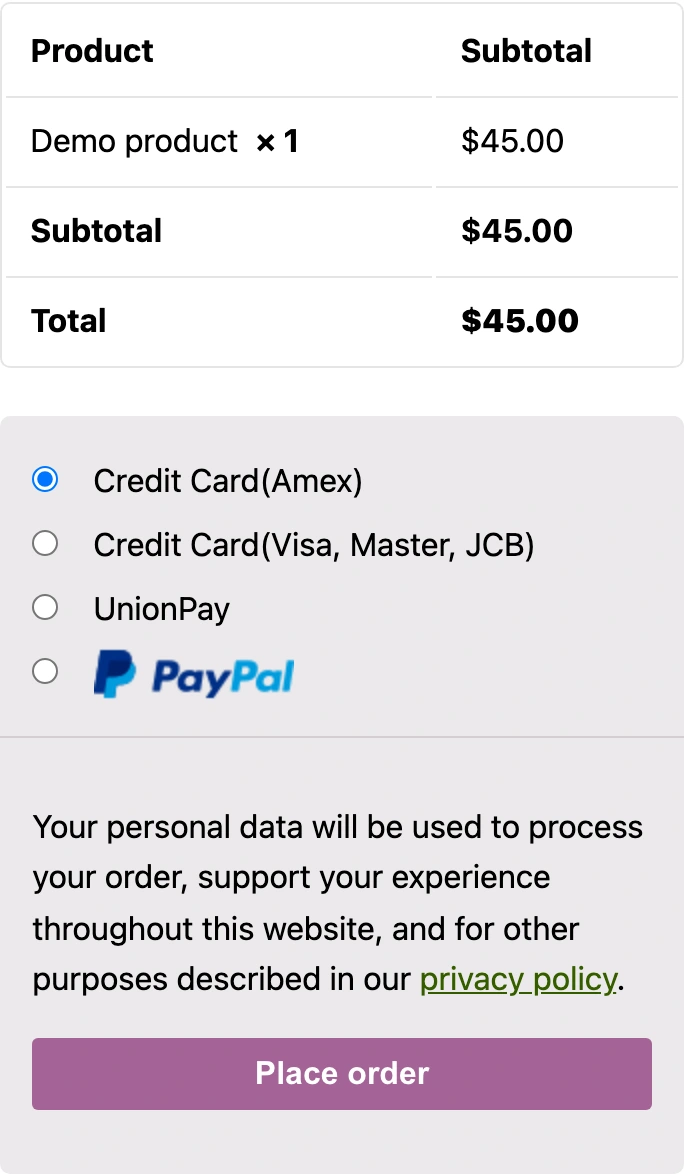
The original plugin checkout at a real 390-pixel browser width. This local demo uses a sample product and contains no merchant credentials or submitted payment.
The outcome
Separate gateway settings and test credentials for each payment method.
Payment requests, returns, cancellations and refund handling linked to WooCommerce orders.
Details of Payletter
What was connected in this work?
I worked on the Payletter integration for WooCommerce. Separate gateway classes cover payment methods including cards, UnionPay and PayPal Express; callback, cancellation and refund handlers connect payment results to the store.
Do the screenshots show real customer payments?
No. They show the original public plugin running in a local WordPress and WooCommerce demo. Merchant credentials are empty and the product and amount are demo data. The screenshots show settings and payment selection, not a completed transaction or the client's production store.